Everything you need to turn financial data into useful insight

CFOly brings financial performance, goals, KPIs and AI-powered analysis together in one platform.

See what happened, explore what matters and prepare a clearer conversation about what should happen next.

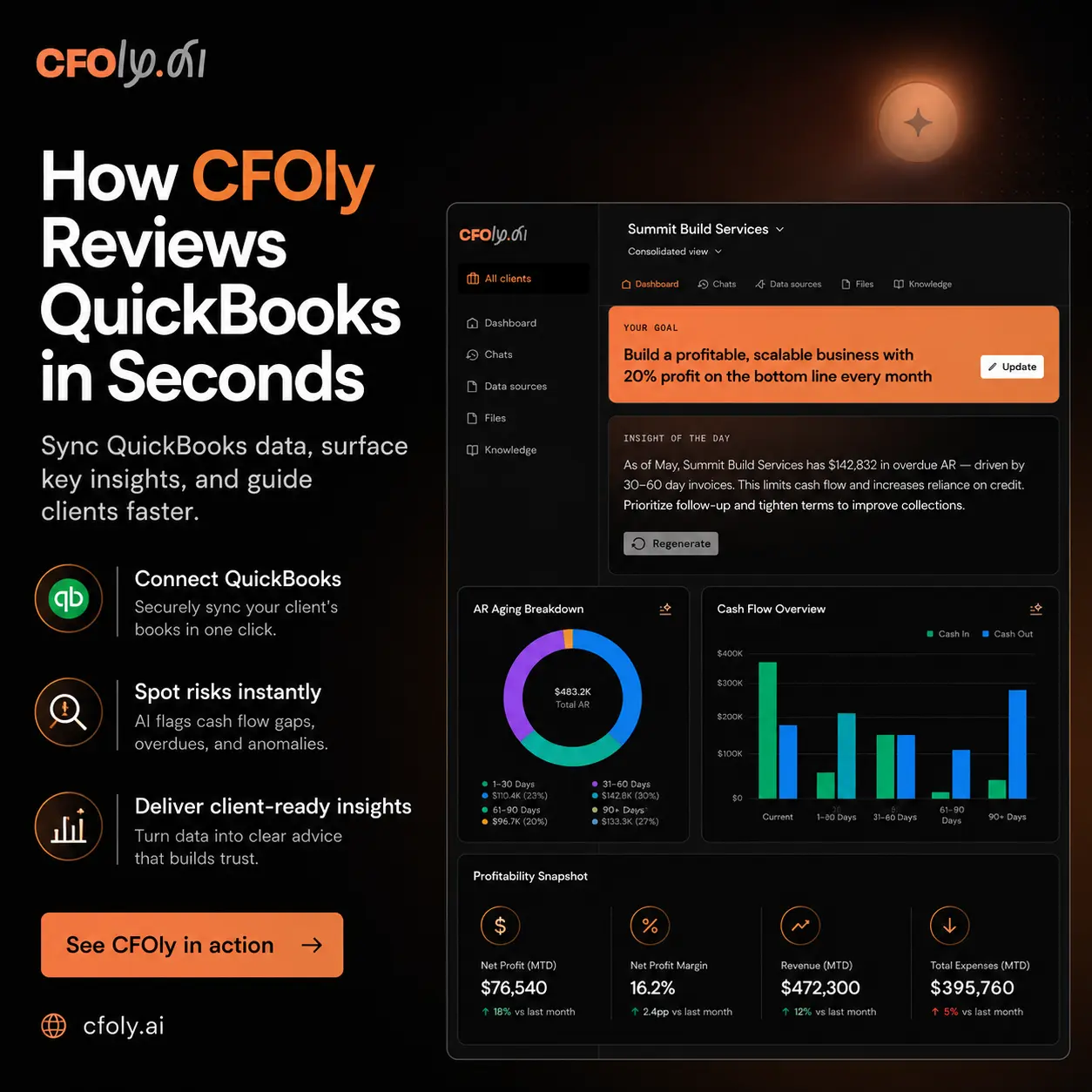
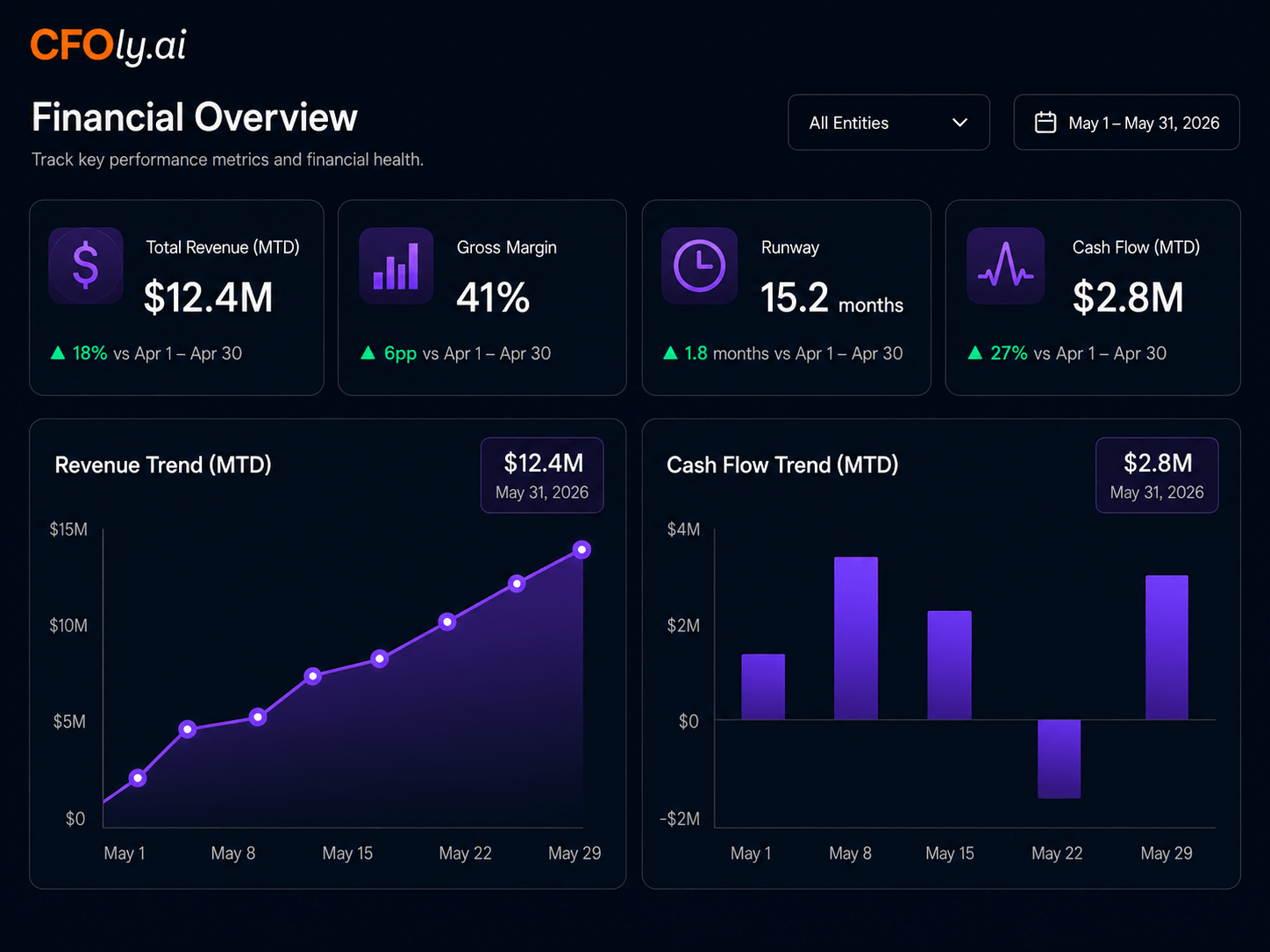
Financial dashboard

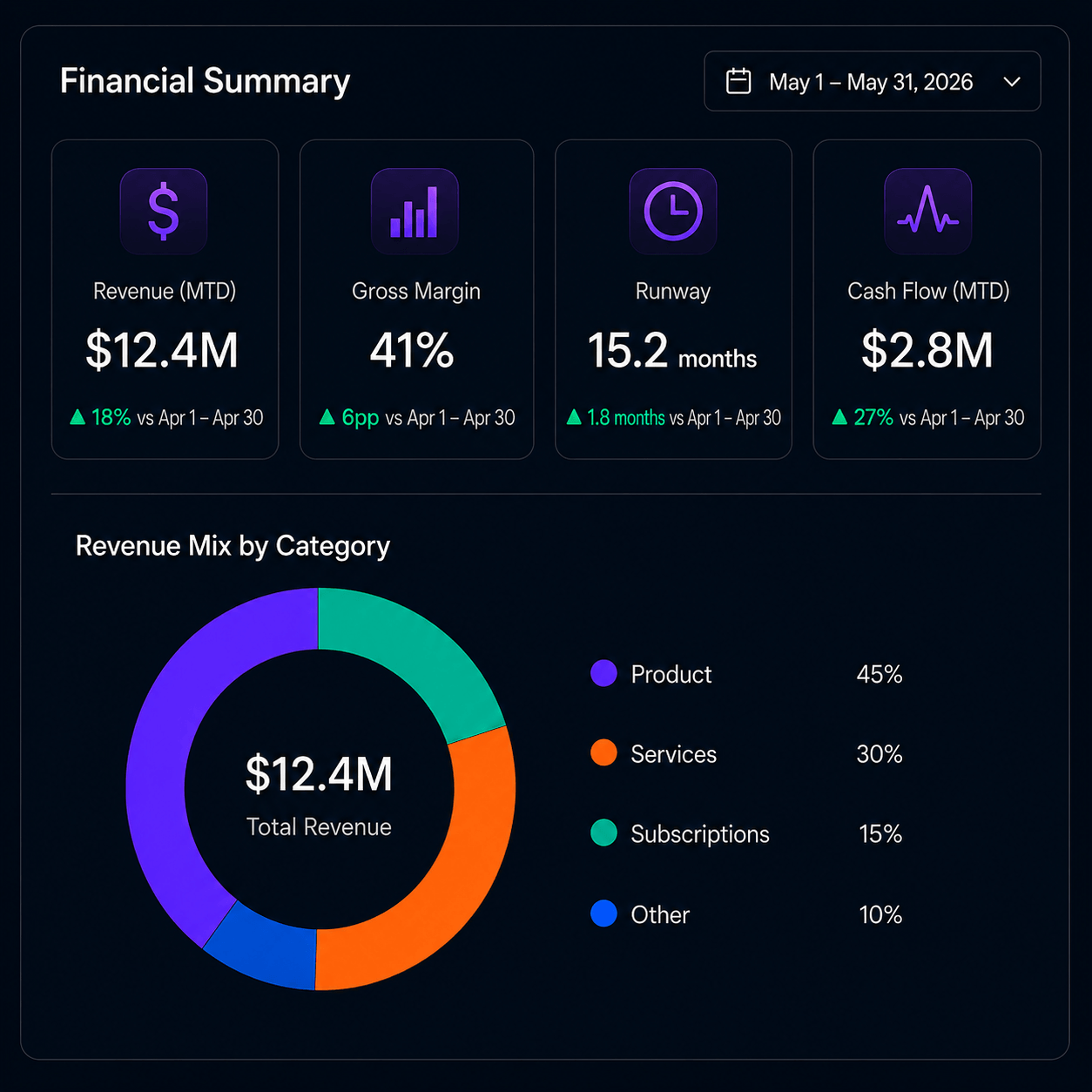
Review important financial information through a visual dashboard designed to make business performance easier to understand.

Depending on the connected data and available product features, the dashboard may include:

Revenue
Gross profit
Operating expenses
Net income
Cash
Financial trends
Goal progress
Important KPIs

Screenshot requirement

Use a real CFOly dashboard screenshot.

Suggested alt text

CFOly financial dashboard showing revenue, profitability, expenses, goals and key performance indicators.

Goals and progress tracking

Financial goals should remain visible throughout the year—not disappear after an annual planning meeting.

Use CFOly to connect business priorities with the financial measures that influence them.

Possible goals may include:

Revenue
Gross profit
Net income
Cash reserves
Expense reduction
Debt reduction
Owner compensation
Business growth

The product team must confirm the exact goal types currently supported.

KPI monitoring

Every business is different.

CFOly helps users focus on the financial and operational measures that best explain performance instead of relying only on a standard set of reports.

Use KPIs to:

Monitor profitability
Measure growth
Understand expense trends
Compare results with goals
Support recurring financial conversations

The product team must confirm whether custom KPIs and operational-data integrations are currently available.
Close-up of a laptop screen displaying Rust programming code in a text editor with warm orange light and shadow patterns.
Dashboard showing company financial goals, insights on revenue and marketing investment, CAC breakdown by acquisition channel bar chart, expense breakdown by department donut chart, and a chat interface discussing hiring a VP of Marketing.

Financial insights

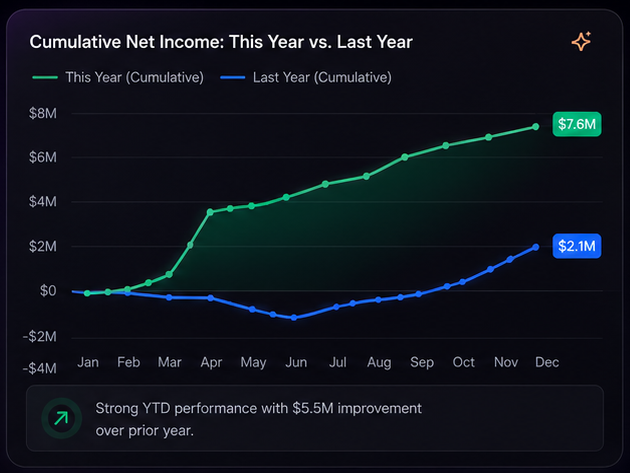
Use CFOly to review meaningful financial changes and trends.

Available insights may help users examine areas such as:

Revenue changes
Expense movement
Profitability
Cash
Goal progress
Period-over-period performance
Areas requiring further review

Do not claim that CFOly guarantees accuracy or automatically identifies every financial issue.

The quality of CFOly’s output depends on the quality, completeness and timing of the underlying information.

AI CFO chat

Ask questions about the financial information available in CFOly and receive explanations in clearer language.

Example questions may include:
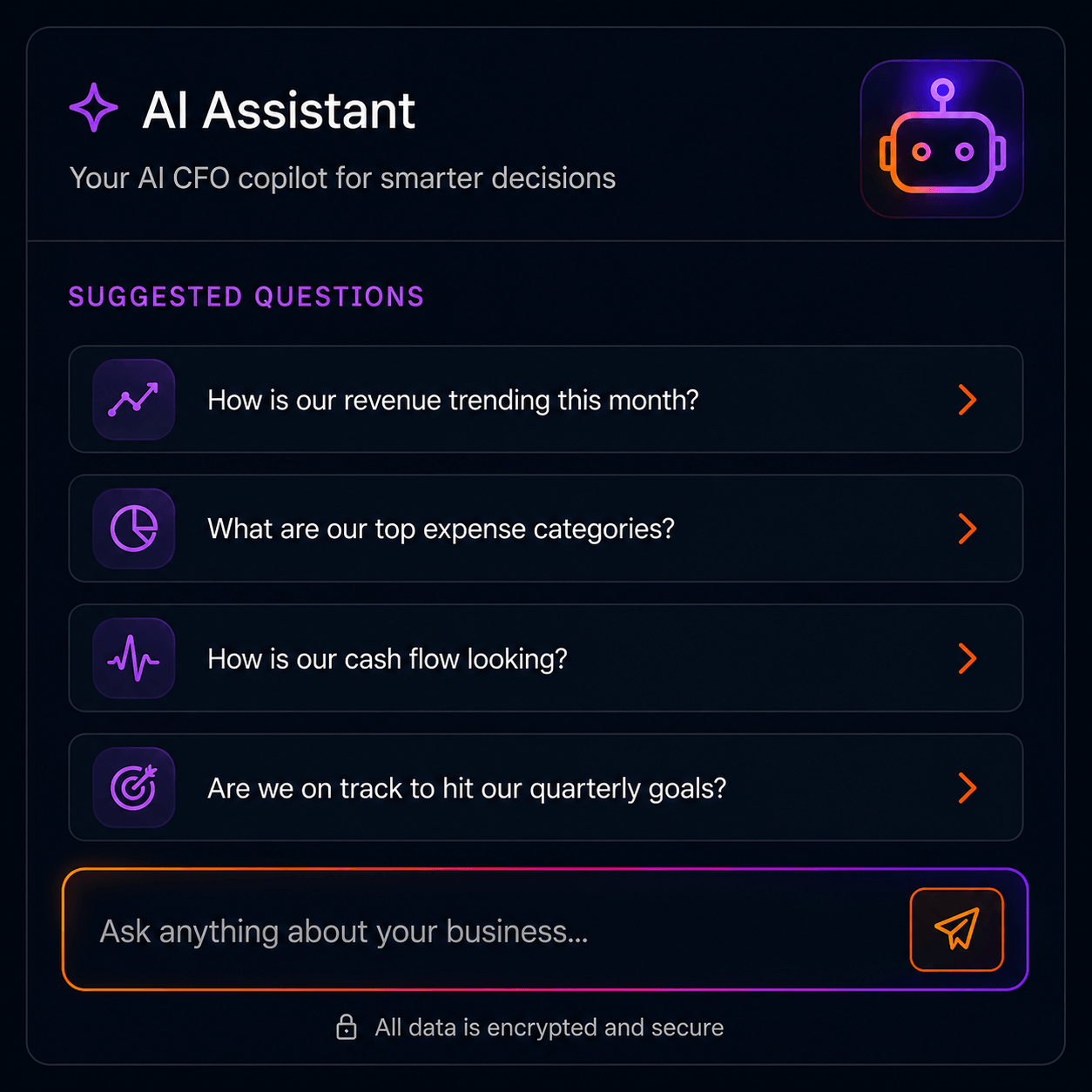
What changed in our profitability?
Which expenses increased the most?
Are we progressing toward our annual goal?
How does this period compare with the prior period?
Which financial result deserves attention?
What should I discuss with my accountant?

Disclaimer

AI-generated responses are informational and should be reviewed before being used for significant financial decisions.

Computer screen displaying code with an AI actions menu highlighted on Find Problems option.
Dashboard showing company financial goals, insights on revenue and marketing investment, CAC breakdown by acquisition channel bar chart, expense breakdown by department donut chart, and a chat interface discussing hiring a VP of Marketing.

Multi-company visibility

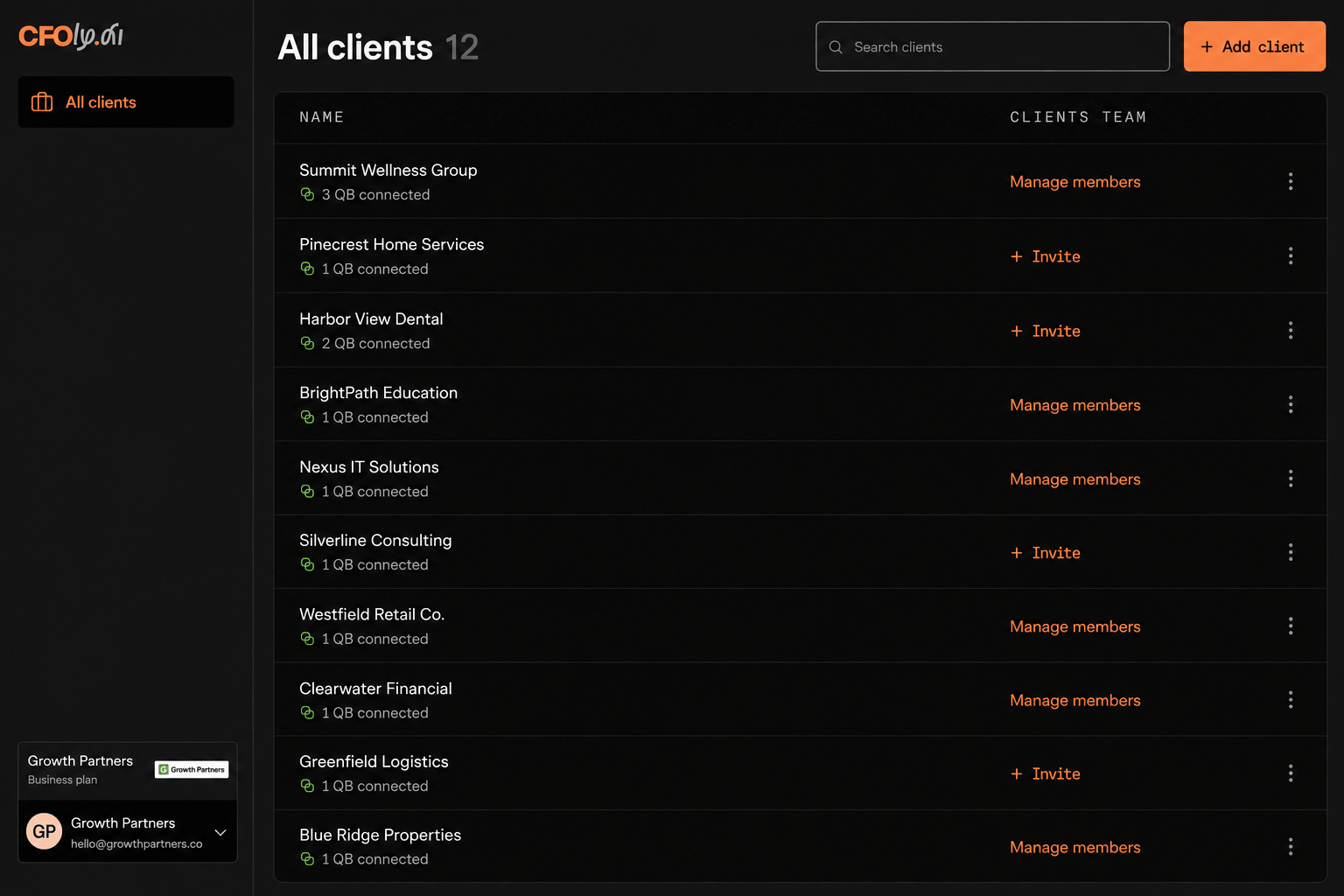
CFOly supports users working with more than one business, company or client workspace.

Depending on the subscription, users may be able to:

Access multiple companies
Review individual company performance
Compare available metrics
Monitor separate goals
View combined performance information

Do not use “consolidated financial statements” unless CFOly performs true accounting consolidation.

Accounting firm workspaces

The CFOly Firm plan is designed for firms managing multiple client relationships.

Firm capabilities may include:
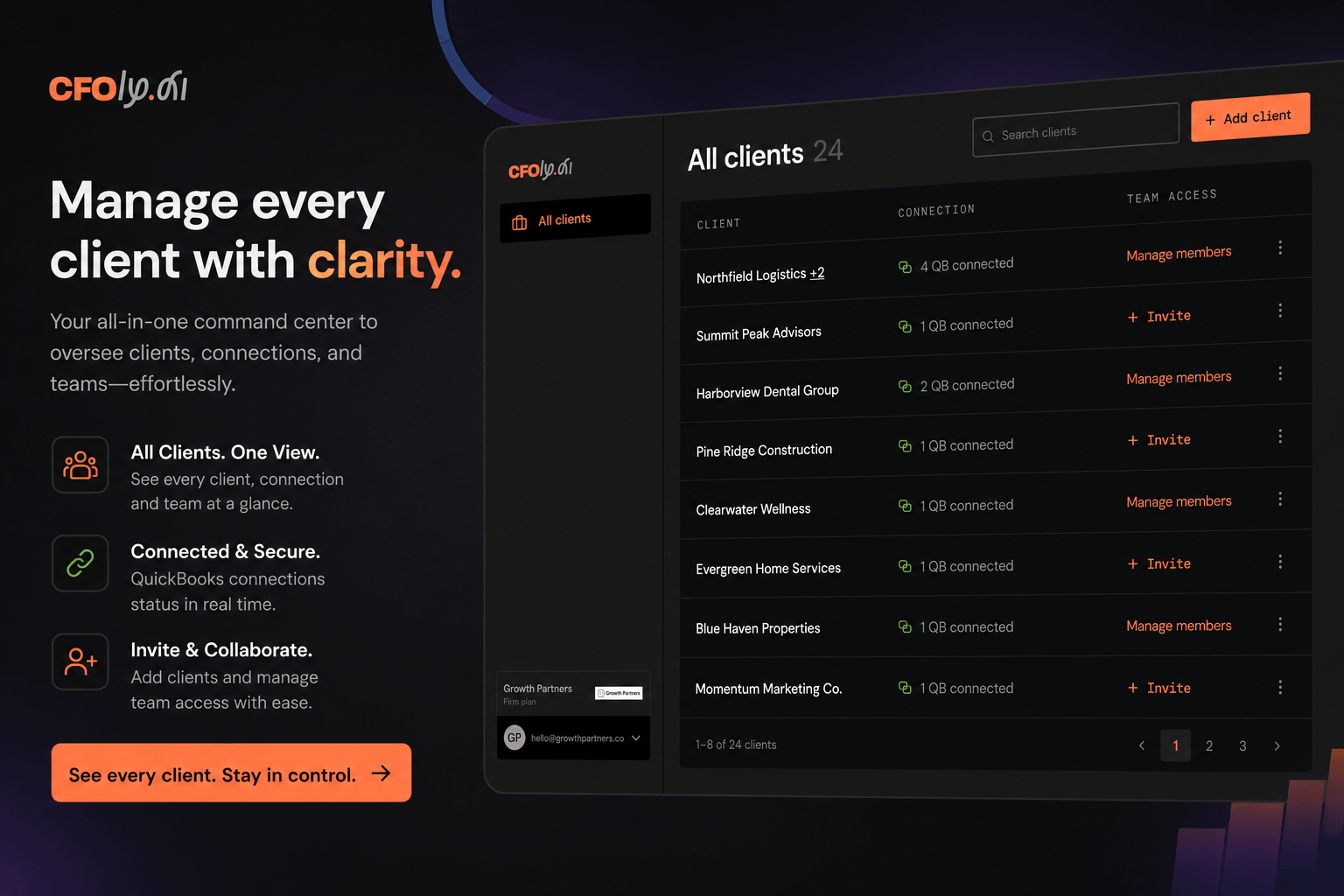
Multiple client workspaces
Client-user access
Financial dashboards
Goals and KPIs
AI CFO chat
Financial insights
Multi-company access

The product team must confirm the number of workspaces, user roles and access controls included in the production application.

Computer screen displaying code with an AI actions menu highlighted on Find Problems option.

Put your financial data to work

Explore CFOly with your own business or client financial information.